Budget Launch Monitor Shootout 2026: Shot Scope LM1 vs Garmin R10 vs Rapsodo MLM1
Last updated: September 19, 2026
Disclosure: some links on this page are affiliate links. XS Golf may earn a commission if you buy through them, at no extra cost to you.
The $200 Launch Monitor Question
For most of the last five years, the honest answer to “what is the cheapest launch monitor worth owning?” was somewhere north of $500. In 2026 that answer changed. Shot Scope’s LM1 landed at $199.99 with a built-in colour screen, no phone requirement and no subscription — and it did it in a bracket where the Garmin Approach R10 and Rapsodo’s original MLM had been the only serious answers for years.
This shootout covers the three units that dominate sub-$600 launch monitor searches from intermediate golfers — roughly the 8–18 handicap player who wants trustworthy numbers without a five-figure sim build. None of them is a Tour-grade photometric system, and none of them pretends to be. The useful question is which one closes the gap between what you see at the range and what you shoot on Saturday.
Related: If your budget stretches further, our guide to the best golf launch monitors under $1,000 covers the next tier up, and the best portable launch monitors of 2026 compares mini and hybrid units built for travel.
Quick Verdict
At this price the decision is made by where you practise and whether you ever want to play virtual golf
All three units give you ball speed, club speed, smash factor and carry. What separates them is everything around those numbers.
- Best for pure range practice — Shot Scope LM1 ($199.99): the only one of the three with its own screen, so no phone, no mount, no app session to start. No spin, no launch angle, no simulator support. About $200 over three years, because there is nothing else to pay.
- Best if you want to play courses indoors — Garmin Approach R10 (around $599): the widest metric set of the three and the only one with a real simulator path. Needs a phone or tablet every session, and the course library is a $99/year subscription on top.
- Best for seeing your own swing — Rapsodo MLM1 ($199.99, list $249.99): pairs radar with your iPhone camera for shot-traced video, and adds launch angle and launch direction that the LM1 does not measure. iOS only.
Worth knowing before you read on: independent reviewers do not agree on how accurate the LM1 is. We lay out exactly where they disagree below rather than averaging it away.
Quick Comparison
| Feature | Shot Scope LM1 | Garmin Approach R10 | Rapsodo MLM1 |
|---|---|---|---|
| Price | $199.99 / £199 | Around $599 list | $199.99 (list $249.99) |
| Technology | Doppler radar | Doppler radar | Radar + iPhone/iPad camera |
| Metrics | Club speed, ball speed, smash factor, carry, total | 12+ reported; four measured directly, the rest modelled | Four measured (ball speed, club speed, launch angle, launch direction) plus seven derived |
| Spin data | None | Estimated (RCT balls improve it) | Estimated |
| Display | Built-in 3.5in colour screen | Phone or tablet only | iPhone or iPad only |
| Phone required | No | Yes | Yes (iOS only) |
| Subscription | None — lifetime free app | Optional: Home Tee Hero $99/yr or $9.99/mo | Optional: Premium $99.99/yr |
| Simulator / course play | None | Yes — 43,000+ courses via Home Tee Hero; also works with third-party sim software | Virtual range and 3D shot view; no full course sim |
| Video replay | No | Yes, via the Garmin Golf app | Yes — shot tracer overlay, the standout feature |
| Battery | 5+ hours | Up to 10 hours | N/C |
| Placement | 55in / 1.4m behind the ball | N/C — Garmin publishes setup guidance rather than a single figure | N/C — phone must be mounted alongside the unit |
| Weight | 300g | N/C | N/C |
| Weather rating | IPX3 — rain-ready | N/C | N/C |
How We Evaluated These Launch Monitors
XS Golf did not physically test these devices. This comparison is built from three things: manufacturer specifications taken from the brands’ own product pages, published independent reviews by testers who put the units alongside reference-grade monitors, and aggregated owner feedback. Where reviewers disagree, we say so rather than picking the flattering number. Where a spec could not be confirmed from a primary source, it is marked N/C in the table above instead of being estimated.
Our full editorial approach is set out on the XS Golf standards page.
Shot Scope LM1 — The New Budget Benchmark
The LM1 is the simplest device here by a distance, and that is the entire pitch. It sits 55 inches behind the ball, powers up, and shows five numbers on a 3.5-inch colour screen: club speed, ball speed, smash factor, carry and total. There is no app to open, no phone to mount, no tripod to align. Shot Scope lists it at $199.99 with a free lifetime app subscription, a 5+ hour battery, 300g weight and an IPX3 rain rating.
Strengths
- Completely standalone. Nothing else in the sub-$250 bracket lets you leave your phone in your bag.
- Instant on-screen feedback plus a dedicated speed-training mode.
- No ongoing fees at all, and session data syncs into the wider Shot Scope ecosystem if you already use their GPS watches or shot-tracking tags.
- Genuinely portable and rain-rated for real range days in real weather.
Limitations
- No spin rate, no launch angle, no peak height, no club path, no dispersion.
- Zero simulator integration — it will not drive GSPro, E6 or anything else.
- Club selection is manual on the device, and there is no remote to change clubs from the mat.
- Reviewers report the screen struggles in direct sunlight.
Best for: golfers whose practice happens at a range or into a net, who want dependable carry and total distances and a smash-factor trend line, and who will actually use a device that takes ten seconds to set up rather than one that takes two minutes.

Garmin Approach R10 — The Established All-Rounder
Years after launch the R10 is still the default recommendation in the sub-$600 bracket, and the reason is scope. It reports a dozen-plus metrics — carry, total, club and ball speed, launch angle, spin rate, smash factor, apex and more — though only four of those are measured directly by the radar; the rest are modelled from ball flight. Garmin quotes up to 10 hours of battery, and the unit works indoors into a net or outdoors at the range.
The part that justifies the extra $400 is Home Tee Hero, Garmin’s virtual course platform: 43,000+ mapped courses for $99/year or $9.99/month. You do not need that subscription to get range data, and you do not need it to use the R10 with third-party simulator software — but if playing virtual rounds is the reason you are buying, budget for it.
We cover the unit on its own in our Garmin Approach R10 review, and the software side in the best golf simulator software guide for 2026.
Strengths
- Much broader metric set than the LM1, including launch angle and estimated spin.
- Up to 10 hours of battery — the longest here.
- A real simulator path, both through Garmin’s own platform and third-party software.
- Fits neatly alongside Garmin watches and other Approach devices if you already own them.
Limitations
- A phone or tablet is mandatory for every session.
- Spin is modelled rather than measured; Titleist RCT balls improve indoor spin readings but add cost.
- Radar needs ball flight to work from, so tight indoor spaces limit it more than a photometric unit.
- Course play is a recurring cost.
Best for: golfers building a budget home simulator, or anyone who wants one device that covers range sessions and virtual rounds. If a sim is on your roadmap at all, the extra spend buys you a device you will not replace in eighteen months.

Rapsodo MLM1 — The Video Advantage
The original Mobile Launch Monitor — now sold by Rapsodo as the MLM1 — pairs radar with your iPhone or iPad camera. It measures four metrics directly (ball speed, club speed, launch angle and launch direction) and derives seven more, including carry, total, smash factor, apex, side carry and estimated spin. List price is $249.99, currently discounted to $199.99 direct.
What you are really paying for is the video. Every shot comes back with a tracer overlay and the data printed alongside it, which is a genuinely different way to learn from a session than reading a number off a screen. Rapsodo advertises accuracy “within 2% of Trackman” — that is the manufacturer’s own claim, not an independent finding, and we have not found third-party robot testing that confirms it.
Strengths
- Shot-traced video replay with data overlay — the best self-coaching tool in this price band.
- Launch angle and launch direction, which the LM1 simply does not measure.
- 3D shot visualisation and a virtual range in the app.
- Frequently discounted, which puts it at LM1 money with more metrics.
Limitations
- iOS only. Android users can stop reading here.
- The phone must be mounted and aligned correctly every session, which is the slowest setup of the three.
- Slow-motion playback and the Rapsodo Combine sit behind a $99.99/year Premium membership.
- The 2% accuracy figure is a manufacturer claim; at least one reviewer of the LM1 said outright that they trusted the MLM’s numbers less than the cheaper Shot Scope’s.
Best for: visual learners who want to see the swing and the ball flight together, and golfers already inside the Apple ecosystem who value video over a built-in display. If you are weighing the newer, pricier sibling instead, see our Rapsodo MLM2PRO vs Mevo+ vs Swing Caddie SC4 comparison.
What Independent Reviewers Actually Found
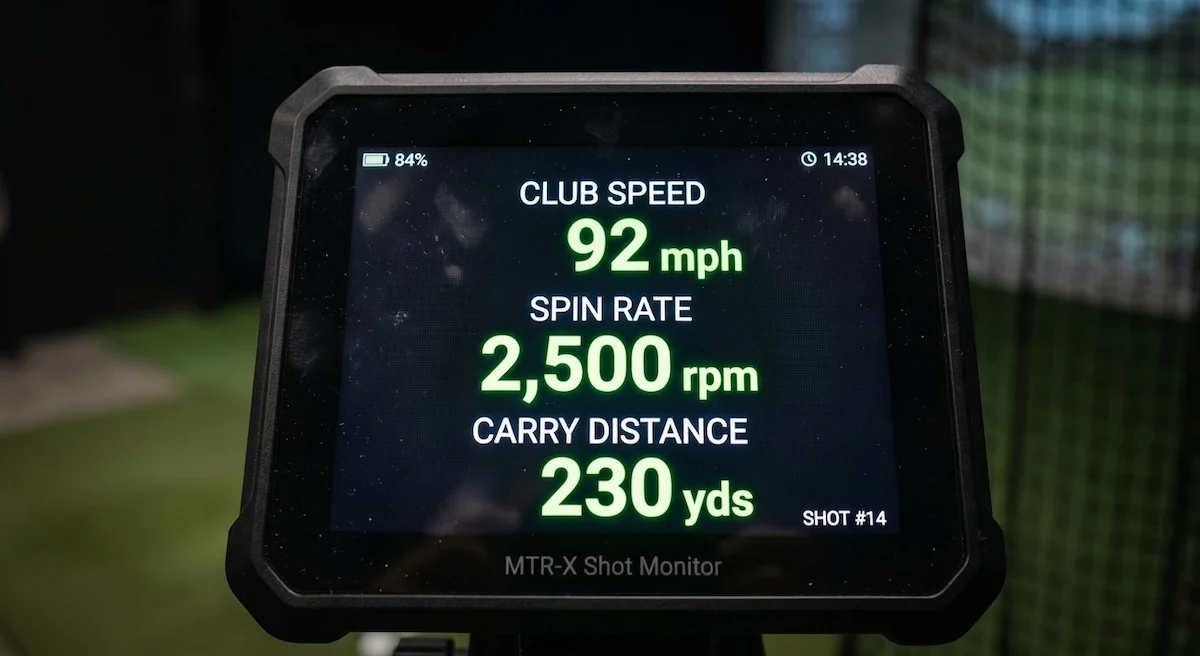
This is the section that matters most, and it is the one most LM1 coverage skips. Three respected reviewers put the LM1 next to reference-grade monitors in 2026, and they did not come back with the same answer.
| Reviewer | Compared against | What they reported |
|---|---|---|
| Plugged In Golf | Foresight GCQuad and Full Swing KIT | Roughly eight of ten shots within one yard of the reference units; ball and club speeds rarely off by more than 1 mph; driver mishits the main exception, at 5–7 yards of variance. |
| BreakingEighty | Bushnell Launch Pro | Ball and club speed “essentially dead-on”; with driver, speeds within 1.5 mph about 70% of the time and carry differences of 0–7 yards; more variance on wedges and punch shots. |
| Golfalot | Foresight GCQuad | Less flattering: 6-iron ball speed differed by 2–3 mph with roughly 7 yards more carry shown; driver ball speed read about 4 mph faster and carry about 5% longer; one implausible wedge outlier. |
Read together, the honest summary is this: the LM1’s speed readings are consistently strong across all three reviews, and its carry readings are strong in two of the three and optimistic in the third — particularly with driver. That pattern is exactly what you would expect from a budget Doppler unit that models carry from speed rather than measuring spin. It also means the LM1 is more reliable for tracking change over time than for telling you an absolute number to write on your yardage card.
Three-Year Cost of Ownership
Sticker price is the least interesting number in this category. Here is what each unit actually costs across three years, at current pricing.
| Unit | Hardware | Subscription over 3 years | Three-year total |
|---|---|---|---|
| Shot Scope LM1 | $199.99 | $0 | $199.99 |
| Garmin R10 (range use only) | ~$599 | $0 | ~$599 |
| Garmin R10 + Home Tee Hero | ~$599 | $297 ($99/yr) | ~$896 |
| Rapsodo MLM1 (free tier) | $199.99 | $0 | $199.99 |
| Rapsodo MLM1 + Premium | $199.99 | $299.97 ($99.99/yr) | ~$500 |
If subscription creep is the thing that worries you, our breakdown of the hidden three-year cost of a home simulator runs the same exercise across full builds.
Which One Should You Buy?
| If this is you… | Buy | Why |
|---|---|---|
| You practise at the range and want distances you can trust | Shot Scope LM1 | Ten-second setup, no phone, no fees. The one you will actually keep using. |
| You want to play virtual courses at home | Garmin R10 | The only one of the three with a genuine simulator path. |
| You learn by watching yourself swing | Rapsodo MLM1 | Shot-traced video with data overlay, at LM1 money when discounted. |
| You are on Android | LM1 or R10 | The MLM1 is iOS-only. |
| You need spin and launch data for club fitting | None of these | Step up a tier — see our under-$1,000 guide. |
| You are building a garage sim on a budget | Garmin R10 | Pairs with a mat, net and projector — see the garage sim build guide under $5,000. |
Translating the Numbers to the Course
Every one of these units will show you a 7-iron carry that looks longer than what you see on the course, and that gap is normal rather than a defect. Range balls fly shorter than premium balls but sit on perfect lies, there is no wind, and nobody has a card in their pocket. The fix is not to distrust the device — it is to use it for the job it is good at.
Establish the gaps between your clubs and the trend in your smash factor, then validate two or three key clubs on the course with a rangefinder. The LM1 makes this loop especially frictionless for the 8–18 handicap player, because there is nothing between picking up the club and seeing the number. If you are heading for a fitting, our club fitting guide for intermediate golfers covers how to bring your own data without it working against you.
Frequently Asked Questions
Is the Shot Scope LM1 accurate enough to set my yardages?
For relative gapping, yes. For absolute yardages, treat it with caution — Golfalot found it read roughly 5% long with driver against a GCQuad, while Plugged In Golf found around eight in ten shots landed within a yard of reference units. Use it to see which clubs overlap and how your speed is trending, then confirm two or three key distances on the course.
Can the LM1 run a golf simulator?
No. It has no simulator integration of any kind — not GSPro, not E6, not Garmin’s platform. If playing virtual courses matters to you, the R10 is the entry point in this bracket.
Do I need a subscription with any of these?
Only if you want the extras. The LM1 has no subscription at all. The R10 gives you range data free but charges $99/year for Home Tee Hero courses. The MLM1 works free but puts slow-motion video and the Combine behind a $99.99/year Premium tier.
Does the Rapsodo MLM1 work with Android?
No. It is iOS only — iPhone 7 and up, or a supported iPad. This is the single most common reason buyers rule it out.
Which of the three works best indoors into a net?
All three are radar units, so all three want ball flight to work from. The R10 has the most published guidance for indoor placement and is the one most people use in a net. The LM1 is rated for indoor and outdoor use but will still give you less to work with indoors, since it reports no spin or launch angle. For tight spaces, a photometric unit is a better fit — see our home simulator setup guide for space requirements.
Is the R10 still worth buying in 2026?
For simulator ambitions, yes — nothing else near $599 offers the same course library and third-party software support. For range practice alone, it is harder to justify $400 over the LM1 unless you specifically want launch angle and estimated spin.
Bottom Line
The Shot Scope LM1 is the story of 2026 in this category. It does not replace a SkyTrak or a higher-end photometric unit for serious simulation, and the independent reviews suggest you should hold its driver carry numbers loosely. What it does is remove the two barriers that stop most golfers owning a launch monitor at all — price and friction. Pair it with a decent mat and net and you have a genuinely effective practice station for well under $500 all in.
The R10 remains the smarter buy the moment simulation enters the conversation, and the MLM1 still earns its place for anyone who learns by watching. But if the question is simply “how far do I actually hit it, and is that changing?”, the LM1 is now the default answer under $250.
Building or upgrading a setup around whichever you choose? Start with the home golf simulator setup guide and the 2026 accessories guide for mats, nets and enclosures.
Where to Buy
- Shot Scope LM1 — Amazon US · Amazon UK
- Garmin Approach R10 — Amazon US · Amazon UK
- Rapsodo MLM1 — Amazon US · Amazon UK
Some links on this page are affiliate links. Purchasing through them supports XS Golf at no extra cost — see our affiliate disclosure. Prices were checked in August 2026 and change often in this category; confirm current pricing before you buy. As an Amazon Associate I earn from qualifying purchases.