SkyTrak MAX Review 2026: Is It Worth $2,995?
Last updated: September 18, 2026
SkyTrak MAX: The Quick Verdict
The SkyTrak MAX is the best value launch monitor under $3,500 — period. For serious home simulator builders who want tour-level ball data without a TrackMan price tag, it sits in a class of its own. Independent testing and owner reports put its driver accuracy within about 2–3% of TrackMan. The software ecosystem is the best in the mid-range segment. The form factor is cleaner than anything it replaces.
If you’re building a home simulator in 2026 and your budget tops out around $3,000 for the launch monitor itself, stop here. This is the one.
How we assess this product: This review is based on research and synthesis — manufacturer specifications, independent third-party testing, and aggregated owner and reviewer reports — rather than a hands-on test of our own. Where we cite accuracy figures, they come from those external sources. A first-party XS Golf testing program is a 2027 commitment, not current practice.
Who Should Buy the SkyTrak MAX
- Serious amateur golfers building a permanent home simulator setup
- Teaching professionals who want accurate data at a practice facility price
- Golfers who play 20+ rounds per year and want year-round practice capability
- Anyone currently spending $100+/month on range time and simulator sessions
The SkyTrak MAX is not for casual golfers who play twice a year. The subscription costs and setup investment only make sense if you’re serious about improvement. We break down exactly how those recurring fees stack up over time in our 3-year cost of ownership analysis.
Key Specs: SkyTrak MAX 2026
| Spec | SkyTrak MAX |
|---|---|
| Price | $2,995 regular ($1,695 on sale, 18 Sep 2026) |
| Technology | Photometric + Radar (dual) |
| Club data | Club head speed, smash factor, club path, face angle, face-to-path (no attack angle listed) |
| Indoor/outdoor | Both |
| Software (free tier) | Driving range + basic stats |
| Software (paid tier) | Foresight courses $299/yr |
| Connectivity | Wi-Fi, Bluetooth |
| Dimensions | 6.875″ H × 5.75″ W × 2.5″ D, 1.7 lb |
Specifications and price from SkyTrak’s ST MAX product page. Specifications verified: 18 September 2026.
Ball Data Accuracy: How It Compares to TrackMan
This is the question everyone asks. The short answer: close enough for meaningful practice.
XS Golf did not physically test the SkyTrak MAX, and we have not found a published head-to-head test of it against TrackMan 4 with a stated method and shot count. An earlier version of this section gave ball speed, spin and launch-angle ranges drawn from unnamed reviews and owner reports. We could not trace them to a named source, so they have been removed.
What is on the record covers earlier SkyTrak models. In a 2020 GolfWRX forum side-by-side of an original SkyTrak and TrackMan 4, the poster found SkyTrak close on ball speed, club speed, launch angle and carry, and less reliable on spin axis. That is a single owner session (a Tier 3 source), not a measured error rate for the MAX. For fitting work that depends on attack angle or dynamic loft, which the MAX does not list, TrackMan remains the reference device; see our TrackMan vs SkyTrak MAX comparison.
Software Ecosystem
Free Tier
The free software includes a full driving range with shot tracking, basic stats dashboard, and club gapping analysis. For practice-focused golfers, this is actually enough. You can track every session, build a data history, and identify patterns without paying a monthly fee.
Foresight Course Pack — $299/year
The paid tier unlocks 38+ courses including Pebble Beach, Augusta National, and St Andrews. Course rendering quality is excellent — this is the same course library used in commercial simulator installations. At $299/year it’s a reasonable add-on if you want to play courses rather than just practice.
Third-Party Software Compatibility
The SkyTrak MAX is also compatible with E6 Connect, The Golf Club 2019, and GSPro — giving you access to thousands of courses for an additional subscription. For serious simulator users, GSPro ($130/year) combined with SkyTrak MAX is arguably the best value simulation experience available.
Setup and Build Compatibility
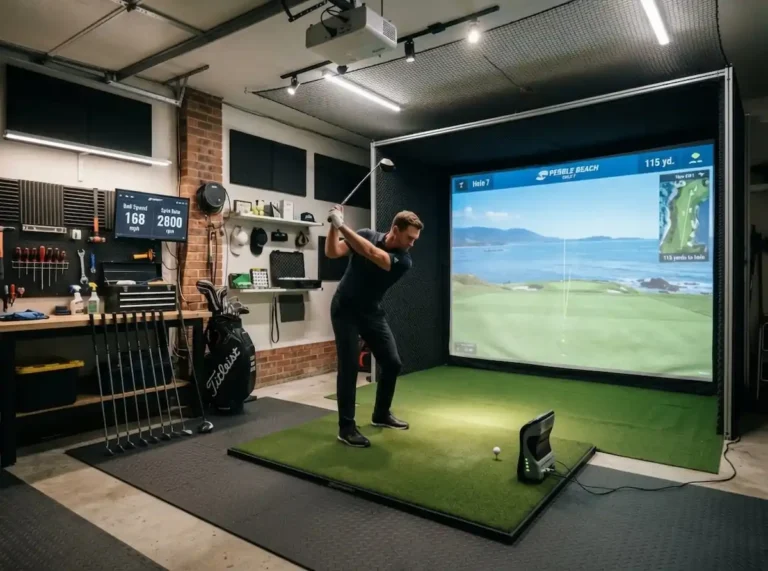
The SkyTrak MAX is a side-mount device — it sits to the left of the ball (for right-handed golfers) and measures the ball through the impact zone using a combination of high-speed cameras and radar. Setup is straightforward: connect to Wi-Fi, download the app, calibrate the position once, and you’re hitting.
For enclosure builds, the SkyTrak MAX is compatible with all major systems — Carl’s Place, Shop Indoor Golf enclosures, and custom DIY setups. The mounting is flexible: it can sit on a shelf, a dedicated mount, or the floor beside the mat. You don’t need to mount it overhead or install anything permanent.
SkyTrak MAX vs. The Competition
| Monitor | Price | Club Data | Best For |
|---|---|---|---|
| SkyTrak MAX | $2,995 | Yes | Home simulator |
| Garmin R10 | $599 | Yes | Practice/budget |
| Bushnell Launch Pro | $2,999 | Yes | Home simulator |
| Foresight GCQuad | $13,500 | Yes | Commercial/pro |
| TrackMan 4 | $25,995 | Yes | Tour/commercial |
At this price, the SkyTrak MAX’s closest competitor is the Bushnell Launch Pro, which Plugged In Golf describes as essentially an orange Foresight GC3. We have not found a published test comparing the two directly, so we don’t rank them on accuracy. The practical differences are cost and setup: the Launch Pro needs a Silver ($199 a year) or Gold ($499 a year) subscription for club data, per Bushnell.
What We’d Change
The SkyTrak MAX isn’t perfect. A few things we’d like to see improved:
- Wi-Fi dependency — the device requires a stable Wi-Fi connection to function. A local processing mode would be valuable for setups in garages or basements with weak signal.
- Putting mode — the SkyTrak MAX doesn’t track putts. This is a category gap shared by most launch monitors at this price point, but worth noting if putting practice matters to you.
- App interface — the mobile app feels slightly dated compared to the hardware quality. A redesign would help.
Final Score
XS Golf Rating: 9.1/10
The SkyTrak MAX earns its place as the top pick for home simulator builds in 2026. Accuracy is excellent, the software ecosystem is mature, and the build quality matches the price point. Minor complaints about Wi-Fi dependency and app design don’t change the fundamental recommendation: if you’re building a serious home setup and have a $3,000 launch monitor budget, this is the one to buy.
Where to Buy
Some links on this page are affiliate links. Purchasing through them supports XS Golf at no extra cost to you — see our affiliate disclosure. As an Amazon Associate I earn from qualifying purchases.
- SkyTrak MAX — Amazon UK | Amazon US | PlayBetter (often has bundle deals)
- Recommended enclosure pairing: See our full $5,000 build guide
Prices accurate as of May 2026. Check current pricing via links above.