Muni Golf Sim Review 2026: Free Golf Simulator Software That Generates Any Course Using Real Maps
Last updated: October 21, 2026
Golf simulator software is the recurring cost that quietly inflates the three-year price of a budget build. GSPro is $250 a year (GSPro, checked October 2026), and Foresight’s course passes start at $295 a year on top of a membership (Foresight+). Muni Golf Sim removes that line item: it is free to download and play, with no license and no subscription.
That is the headline. The useful question is what you get for zero dollars, and where the trade-offs show up.
Key takeaways
- Free: no purchase price, license or subscription as of October 2026. A free account is needed for stats sync.
- Any mapped course: courses are generated as you load in from real map data plus lidar and national elevation data, rather than from a fixed library.
- Practice first: the range, performance range and on-course practice tools drew the most praise in independent first looks. Full-course visuals are functional rather than handcrafted.
- Built-in connector: the developer lists Square Golf, SkyTrak / SkyTrak+, ProTee VX, Uneekor, Garmin Approach R10, Rapsodo MLM2PRO, FlightScope Mevo+ / Gen2, Open Launch Nova and the Open Connect API.
- Verdict: worth installing today if your launch monitor is on the list; keep a paid platform if polished versions of famous courses matter most.
How we evaluated Muni Golf Sim: XS Golf did not conduct a hands-on studio test of our own for this review. Our evaluation synthesizes the developer’s own documentation at munigolfsim.com (Malkfleursby Technologies Inc., Alberta, Canada) and two independent on-camera first looks: Jay Lasco’s at Golf Simulator Videos (October 20, 2026, using a Square Golf OMNI) and Joe Lagowski’s on Joe Lagowski Golf (October 16, 2026, using an Open Launch Nova). Unconfirmed specifications are marked N/C. See our editorial standards.
What Muni Golf Sim actually is
Muni Golf Sim is third-party simulator software from an independent developer, Malkfleursby Technologies Inc. It is not made by a launch monitor company. The developer lists Windows (one-click installer), Mac (Apple silicon, macOS 14 or later) and Linux (.deb, .rpm and AppImage), plus an iPhone and iPad beta that you request on its Discord.
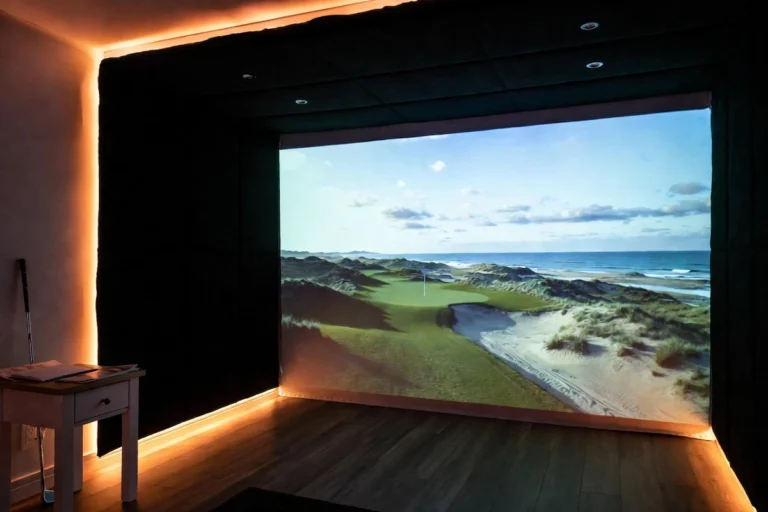
The core idea is that you do not wait for someone to build a course. You search for a course by name, town or architect, and the developer says it is “built from real maps and terrain as you load in”. Terrain comes from lidar and national elevation data, which the developer says is now more accurate in 19 more countries and regions. Streets, houses, bridges and street lamps surround the course, cars drive the roads, and carts ride the paths and stop while you play.
If something is wrong, you can fix it. The desktop app lets players correct a course’s details and layout; every fix is reviewed, and approved changes can be sent to OpenStreetMap. Separately, a Course Builder inside the launcher lets you design a course from satellite imagery and elevation data and finish it in Unreal Engine before publishing it for other players.
One limit follows directly from that approach: a course is only as good as its underlying map data. A course that is poorly mapped will come out poorly, until someone fixes it.
How free is it, really?
The software costs nothing. The developer’s site lists it as “Free to play”, and Golf Simulator Videos reports that the developer’s August 31, 2026 update said it has been “100% free since it launched”. There are no paid course packs, credit system or premium tier listed as of October 2026.
You do need a free account. Per the developer’s privacy policy, it powers saved rounds, statistics, handicap, multiplayer, course records and challenges; account emails are limited to verification and password resets, and the developer says it does not send marketing email. The developer keeps rounds, shots and swing videos until you delete them, and deletes detailed performance samples and feature-usage events after 13 months.
The obvious question is how a free simulator pays for itself. XS Golf could not find a disclosed revenue model: no advertising, freemium tier, hardware partnership or paid upgrade is described on the developer’s site. The usual caution applies. Free status is current as of October 2026, and undisclosed business models can turn into paid tiers later.
Practice tools: where the polish is
Both independent first looks spent more time on the practice side than on full rounds, and it is where the software looks most complete.
- Driving range and performance range. Golf Simulator Videos lists a driving range, performance range, short-game area, hole-in-one challenge and practice screen. Target greens are configurable: Lasco used a 20×20-yard green with a center line or full grid, and lie settings for side slope, up and downhill, with speed and spin deductions.
- On-course practice. The developer says you can jump to any hole of any course, drop the ball where you are aiming, and repeat the shot or play the hole out. The minimap shows front and back of the green, hazard carries and distance to the pin on your line.
- AI practice holes. You describe a hole, or pick a style and difficulty, and a new one is generated to play and score (developer). Lasco’s prompt for a downhill par-3 island green of about 150 yards with a mountain backdrop produced an island green he estimated at 10 to 15 yards wide; a second prompt for a snow-covered backdrop added water in front but no snow. Sliders cover minimum and maximum par, minimum length, and creek and dogleg frequency.
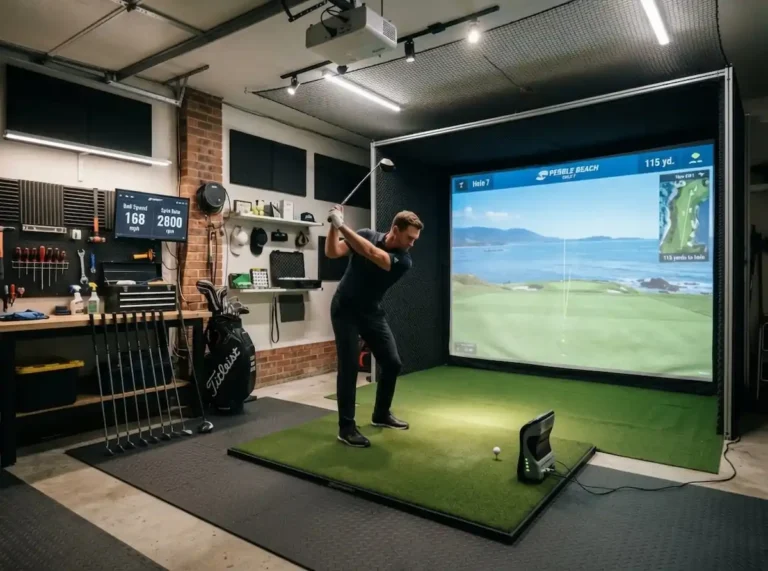
- Second data window and swing camera. A separate window can show shot data, side views, dispersion and shot history on a second screen without mirroring the main image (Golf Simulator Videos). The developer says every detected shot records your swing from each camera you add, saved with the shot in your round history, and a webcam ball tracker in the connector sends putts to the game. In Lasco’s first look, the software traced his body during a down-the-line demo swing with his studio lights off. In Joe Lagowski’s video, connecting his Open Launch Nova was seamless, and shot history can be exported to a CSV file.
Beyond practice, the developer lists multiplayer in the bay or online, par-3 layouts of any course, closest-to-the-pin, long-drive and ladder challenges, course records boards, shot replays and a two-person commentary team that calls every player by name.
Physics, weather and course accuracy
Physics. The developer says wind, temperature and altitude shape every shot, and that rain softens fairways and greens. Round settings include green Stimp, green firmness and fairway firmness. In Lasco’s session on a Square Golf OMNI, a light 8-iron at 6,808 rpm landed on the green and rolled out a little, while a cut wedge at 9,331 rpm to the roughly 110-yard island green “checked right up”. His view was that the physics seem real rather than generic game physics. Club data was not part of his look, because his clubs had no markers. In Joe Lagowski’s video, green speed runs from Stimp 8 to 14, green and fairway firmness each have soft, normal, firm and very firm settings, and there are standard and beta physics models. His wedges at 8,700 and 9,000 rpm landed with a hop and stopped. Lies carry speed penalties: about 6% from the rough, and 8% from deeper rough on Pebble Beach’s 2nd hole.
Weather and sound. You can play in the weather at the course right now, with live wind, temperature and conditions and the time of day following the course’s local clock (developer), or set conditions yourself: Lasco set 9 a.m., partly cloudy, light rain and a storm. The developer says each club sounds different off the face and each course has its own ambience.
Course accuracy. At Warwick Hills, Lasco found the hole locations, cart paths, practice area, and the water and bunker shapes on the 17th matched the real course. Trees and houses were generic, some elevation was off, the out-of-bounds line was straighter than the real one, a road sat closer than it should, and the marsh grass beside 17 was missing. That is the trade-off in one hole: the routing is right, but the detail a course designer adds by hand is not there.
Missing data and load times. If a course’s map data is incomplete, Muni says so and lists what is missing: in Lagowski’s video, Pebble Rock Country Club in South Africa was marked “not playable yet” and would not launch. He reports that the first load of a course took about two minutes and later loads were quicker; Pebble Beach Golf Links took 45 seconds.
Rough edges. Lasco flagged that putt distances on the green show in yards rather than feet (an 11-yard putt is about 33 feet), that a ball in an on-course bunker appeared to sit as if on a tee, and that a soft bunker shot travelled farther than expected, so he thinks bunkers need a bigger penalty. Lagowski’s video shows the bunker penalty as 10% of ball speed with 100% of spin retained, and he notes that GSPro penalizes sand shots more. Golf Simulator Videos calls its piece a first look rather than a full review: online play, challenges, tournaments, club data and a full round with driver and rough were not covered.
Launch monitor compatibility
Muni uses its own companion connector (LaunchMonitorConnect) rather than the launch monitor maker’s software. The developer lists these integrations:
| Launch monitor | Status | Notes |
|---|---|---|
| Square Golf (Home and OMNI) | Listed by developer | OMNI connected with no other program running in Golf Simulator Videos’ first look. See our $700 launch monitor shootout. |
| SkyTrak / SkyTrak+ | Listed by developer | ST MAX not named separately: N/C. See our SkyTrak MAX review. |
| ProTee VX | Listed by developer | — |
| Uneekor | Listed by developer | Models not specified: N/C |
| Garmin Approach R10 | Listed by developer | — |
| Rapsodo MLM2PRO | Listed by developer | Membership requirement for Muni: N/C |
| FlightScope Mevo+ / Gen2 | Listed by developer | — |
| Open Launch Nova | Listed by developer | Connected in Joe Lagowski’s video; also listed in Golf Simulator Videos’ settings walkthrough |
| Open Connect API | Listed by developer | “Anything that speaks the Open Connect API works out of the box” |
Being on the list is not the same as working on your unit with no strings attached. With GSPro, some monitors need their own manufacturer subscription before third-party software works, such as Uneekor’s Pro package, Rapsodo’s Premium membership or Foresight and Bushnell prerequisites (GSPro). The developer does not say whether the same applies to Muni, and SkyTrak relies on unofficial connectors for GSPro, as covered in our SkyTrak guides. Check the current list on munigolfsim.com and your monitor’s plan terms before building around it.
Hardware requirements
| Item | Detail | Source |
|---|---|---|
| Official minimum / recommended PC specs | N/C (not published by the developer) | Golf Simulator Videos could not find any |
| Observed performance | 60 fps at maximum graphics on the Golf Simulator Videos studio PC; the GPU audibly spun up | Golf Simulator Videos |
| Windows | One-click installer | Developer |
| Mac | Apple silicon (M1 or later), macOS 14 or later | Developer |
| Linux | .deb (Ubuntu/Debian), .rpm (Fedora/RHEL/openSUSE), AppImage (other distros) | Developer |
| iPhone and iPad | Beta, requested on the developer’s Discord | Developer |
| Account and internet | Free account for rounds, stats, handicap and multiplayer; live weather and on-demand courses need a connection | Developer |
Until the developer publishes requirements, plan as you would for other 3D simulator software. Our home simulator setups guide suggests a Windows PC with an RTX 4060-class graphics card or better for GSPro; that is a sensible starting point here too, given the GPU load Golf Simulator Videos observed. This is XS Golf’s guidance, not a developer specification.
Pricing and 3-year cost impact
Zero software cost changes the three-year math on any build whose launch monitor is supported and needs no plan of its own. The two cleanest cases are the Square Golf (about $700, per PlayBetter), which charges nothing to connect to third-party software, and the Garmin R10 ($499.99, checked October 2026).
On either monitor, staying on Muni keeps $750 over three years in the hardware or practice budget instead of software. The rest of the build costs the same: see our 3-year cost of ownership breakdown, the launch monitors under $1,000 guide, and our $5,000 garage build and garage simulator under $5,000 guides for the hardware side.
Muni Golf Sim vs GSPro vs other software
| Software | Price (checked October 2026) | Courses | Best for |
|---|---|---|---|
| Muni Golf Sim | $0 | Any mapped course, generated on load; AI practice holes | Local courses and practice at zero software cost |
| GSPro | $250/year (lifetime add-on no longer sold) | 2,500+ community-created courses (GSPro) | Polished full rounds and the widest community library |
| E6 Connect | $300/yr Basic or $600/yr Expanded for FlightScope monitors (FlightScope US store); varies by launch monitor | Professionally built library | Broad launch monitor compatibility |
| TGC 2019 | N/C (legacy one-time purchase; retail listings vary) | Large user-created library | Owners who already have it |
| Foresight Premier (Foresight and Bushnell monitors) | Silver $199/yr or Gold $599/yr, plus Course Pass from $295/yr | Licensed course packs | Owners of Foresight or Bushnell hardware |
For the full platform comparison, see our best golf simulator software guide.
Who it is for: decision framework
WHAT MATTERS MOST TO YOU?
Playing your local course, or practice, at $0 software cost
→ Muni Golf Sim ($0)
Polished full rounds on well-known courses, large community library
→ GSPro ($250/yr)
You own Foresight or Bushnell hardware and want its native platform
→ Foresight Premier (from $199/yr)
Not sure? Muni costs nothing to try alongside a paid platform.
Good fit: practice-focused golfers who want range tools and shot tracking without a subscription; players who want their local muni or a course no paid library has built; and budget builds around a supported monitor where avoiding a second subscription lowers the total. If you are new to a simulator, our 8-week simulator practice program pairs well with its practice tools.
Treat as secondary: if you want licensed, highly polished versions of famous courses, or if visual craftsmanship matters more to you than zero cost and unlimited course access. For complete systems, see our best home golf simulators guide.
Verdict
XS Golf Editorial Score: 8.6/10. Muni Golf Sim is our current free-software pick for supported launch monitors, based on the developer’s documentation and the two independent first looks cited above. We have not run the software ourselves. Install it if your monitor is on the list: the practice tools are already useful and the barrier is zero. Keep GSPro or another paid platform if you want higher-fidelity full rounds on famous courses. The free status is real today; the map-based course generation is the clearer long-term limit.
Frequently asked questions
Is Muni Golf Sim really 100% free?
Yes, as of October 2026. The developer lists it as free to play, with no license, subscription or paid course packs, and Golf Simulator Videos reports that the developer’s August 31, 2026 update said it has been 100% free since launch. You need a free account for stats and multiplayer. No revenue model has been disclosed, so that could change.
Which launch monitors work with Muni Golf Sim without a subscription?
Muni itself needs no subscription. The developer lists Square Golf, SkyTrak / SkyTrak+, ProTee VX, Uneekor, Garmin Approach R10, Rapsodo MLM2PRO, FlightScope Mevo+ / Gen2, Open Launch Nova and Open Connect API devices. Square Golf charges nothing for third-party connections; for other monitors, check whether the maker requires its own plan before third-party software works.
Does Muni Golf Sim run natively on a Mac?
Yes. The developer offers a Mac build for Apple silicon (M1 or later) running macOS 14 or later, alongside Windows and Linux. An iPhone and iPad version is in beta through the developer’s Discord.
How accurate are Muni Golf’s map-generated courses compared to GSPro?
Routing is generally right; fine detail is not. At Warwick Hills, Golf Simulator Videos found hole locations, cart paths and the 17th’s water and bunkers matched, while trees and houses were generic, some elevation was off and marsh grass was missing. GSPro’s courses are built by hand, so well-known courses there carry more designed detail.
What is the AI hole generator in Muni Golf Sim?
It creates a new, scorable practice hole from a text description or from style and difficulty settings. Sliders cover par, length, creeks and doglegs. In Golf Simulator Videos’ first look it followed some prompts closely, such as a downhill island-green par 3, and missed others, adding water instead of a snowy backdrop.
What PC specs do you need to run Muni Golf Sim at 60 FPS?
The developer has not published requirements (N/C). Golf Simulator Videos ran it at 60 fps on maximum graphics on its studio PC, with clear GPU load. As a starting point, XS Golf suggests the same class of PC we recommend for GSPro: a Windows machine with an RTX 4060-class graphics card or better, or an Apple silicon Mac on macOS 14 or later.
Sources
- Malkfleursby Technologies Inc., munigolfsim.com: platforms, features, launch monitor list, privacy policy (checked October 21, 2026)
- Jay Lasco, Golf Simulator Videos first look, October 20, 2026
- Joe Lagowski, “This FREE Golf Simulator Software Is INSANE!”, Joe Lagowski Golf, October 16, 2026 (Open Launch Nova)
- GSPro pricing and manufacturer-subscription notes; Foresight+ course passes; PlayBetter (Square Golf, Foresight+ tiers); FlightScope US store (E6 Connect plans)
Some links on XS Golf are affiliate links. See our affiliate disclosure. Muni Golf Sim has no paid relationship with XS Golf.