Hidden Costs & 3-Year TCO of Home Golf Simulators 2026: What You’ll Actually Spend
Last updated: September 19, 2026
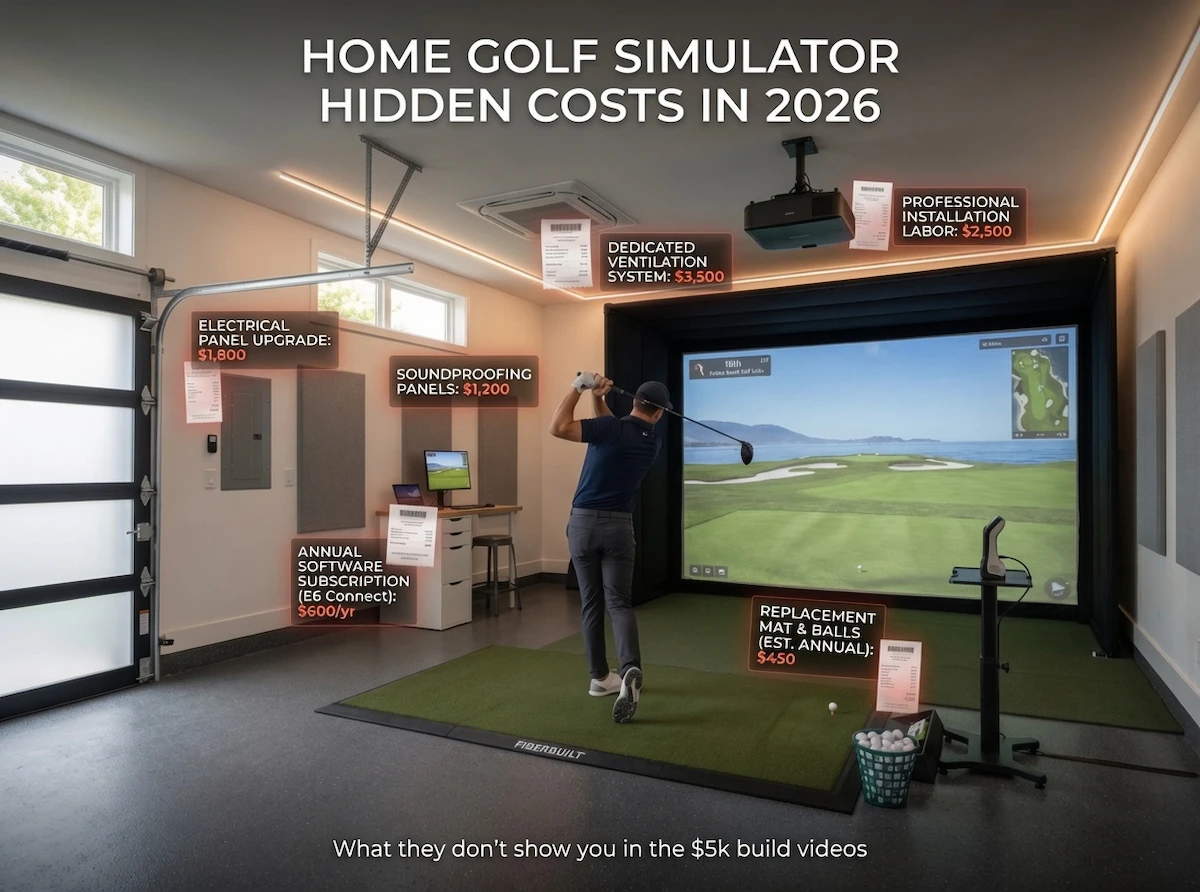
The dream of a home golf simulator often starts with a single, highly marketed number: the upfront hardware cost. You see a launch monitor, a screen, and a projector bundled together for $5,000, and you assume the spending stops once the boxes are unpacked.
The cost figures below come from published pricing rather than from anything XS Golf owns. How we source and check them is set out in full on our standards page.
For serious amateurs who actually use their simulator regularly, upfront prices are only half the story. As outlined in the Definitive Home Golf Simulator Setup Guide, building a reliable indoor setup is a multi-layered ecosystem. Every shot degrades your hitting surface, every hour burns projector lifespan, and nearly every launch monitor requires a recurring software subscription to function at its peak.
Here is the blunt reality based on aggregated owner reports and our 2026 market synthesis: For serious golfers practicing 2–4+ times per week, the true 3-year cost is typically 25–50% higher than the initial hardware spend due to subscriptions, wear items, and maintenance.
Here is exactly what you will actually spend over three years, and how to minimize your total cost of ownership (TCO).
Section 1: Why TCO Matters More Than Upfront Price
For the 8–18 handicap player, a simulator is a game-improvement tool, not just a weekend toy. This means you will likely hit hundreds of balls a week.
This regular use accelerates wear on critical components like hitting mats, impact screens, and projector lamps. Furthermore, as the golf tech industry shifts heavily toward recurring revenue models, software subscriptions can add anywhere from $200 to $600+ per year depending on your launch monitor choice. Over a 36-month period, a “budget” $1,000 launch monitor with a $300 annual subscription ultimately costs more than a $1,500 unit with zero subscription fees. Understanding TCO prevents you from being blindsided by maintenance costs by year two.
Section 2: Detailed Breakdown of Hidden & Recurring Costs
2.1 Software Subscriptions (Often the Largest Ongoing Cost)
According to cross-referenced manufacturer pricing in 2026, subscriptions are the most significant recurring expense in simulator ownership.
| Launch Monitor | Recommended Software | Annual Cost | Notes |
|---|---|---|---|
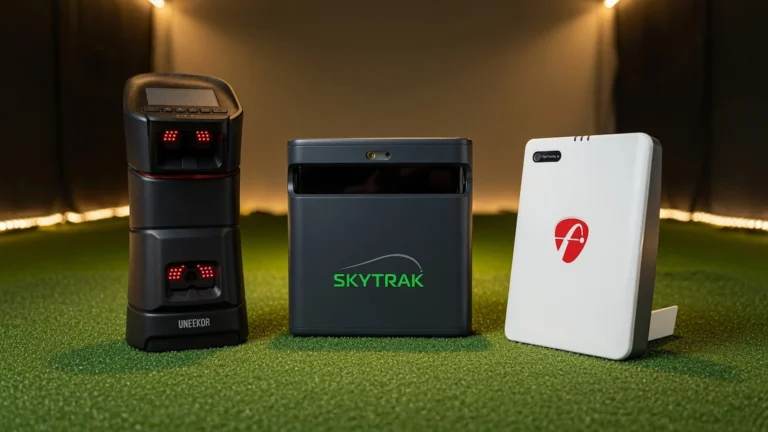
| SkyTrak ST MAX / SkyTrak+ | E6 Connect or GSPro | ~$199/yr | Requires base “Course Play” tier to access 3rd-party integration. |
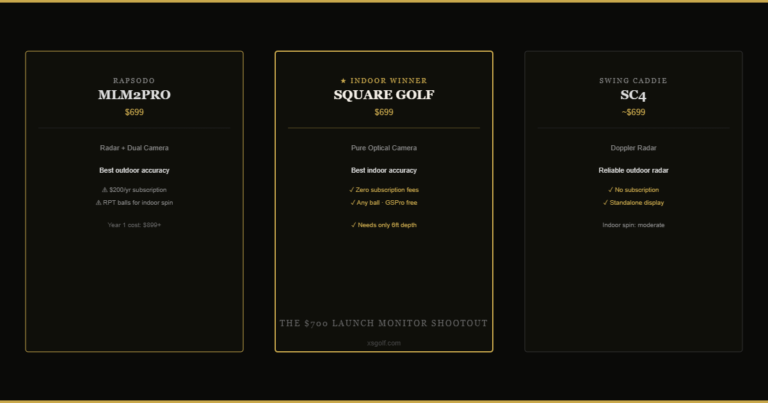
| Square Golf | Native App / GSPro | $0/yr (Base) | Uses pay-as-you-play credits for native courses; integrates free with GSPro. |
| Garmin R10 / R50 | Home Tee Hero or GSPro | ~$100–199/yr | Home Tee Hero is ~$100/yr; GSPro integration requires separate license. |
| Foresight / Uneekor Overhead | FSX Play / View | $299–600+/yr | Premium commercial-grade software libraries command premium annual fees. |
Tip: Opting for optical/no-sub options (like Square Golf) dramatically lowers your overall TCO.
2.2 Computing (PC / Mini PC)
Running simulation software smoothly in 4K or 1080p requires processing power.
- Dedicated Gaming Desktop: A PC with an RTX 4070 GPU or better (required for smooth GSPro/E6 rendering) typically costs $600–$1,200 initial.
- Mini PC Options: Costing $300–$600, these save space but often struggle with high-end graphics and risk overheating.
- Ongoing: Electricity consumption and occasional hardware upgrades (RAM/storage) over a three-year span.
2.3 Consumables & Maintenance
Aggregated owner reports and independent fitter data highlight several wear-and-tear realities:
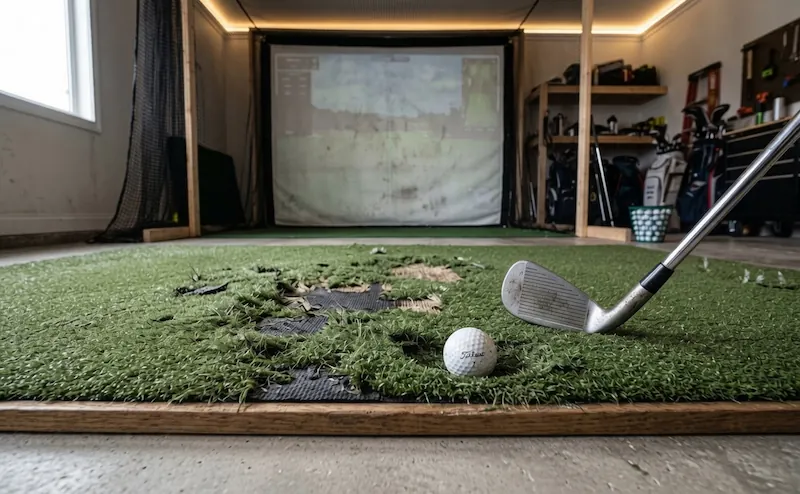
- Hitting Mats/Strips: Premium options (like Fiberbuilt) boast lifespans of 3–7 years with proper rotation. Budget mats often degrade within 1–2 years. Fitter reports indicate that high-volume players should expect to spend $150–$250 every 12–18 months replacing the central hitting strip insert.
- Impact Screens: Depending on ball speed and usage, expect to spend $300–$1,500 every 2–5 years on replacement screens.
- Projector Lamps: Traditional bulb projectors require replacements every 2,000–5,000 hours, costing $200–$400 each time. Manufacturer specifications recommend laser projectors for serious use, as they last 20,000+ hours with minimal degradation.
- Miscellaneous: Cables, mounts, screen tensioners, and occasional enclosure repairs.
2.4 Utilities – Electricity
Based on typical 2026 energy rates and efficient hardware models, a realistic estimate for serious use (2–3 hours/day, 300 days/year) powering a gaming PC and short-throw projector is approximately $75–$150 per year.
3-Year Total: $225–$450.
2.5 Insurance & Protection
High-value simulator rooms should be insured.
- Homeowners Policy Rider: Adding $5,000–$15,000+ in declared value for electronics typically costs $50–$150/year.
- Warranty Extensions: Extended manufacturer warranties for premium launch monitors and projectors often cost 10–15% of the unit’s purchase price.
Section 3: 3-Year TCO Examples
A serious $5k garage simulator typically costs $6,800–$7,800 over 3 years with regular use.
According to typical 2026 pricing and serious amateur usage patterns, here is a synthesized look at what popular setups actually cost over a 36-month lifespan.
| Simulator Setup | Upfront Hardware | Annual Recurring (Subs, Maintenance, Power, Insurance) | 3-Year Total | % Above Upfront | Best For |
|---|---|---|---|---|---|
| Budget DIY Setup | ~$2,500 | ~$200/yr | ~$3,100 | +24% | Tight budgets & casual practice |
| Low-TCO (Square Golf) | ~$3,000 | ~$150/yr | ~$3,450 | +15% | Subscription-free seekers |
| Recommended $5k Garage (SkyTrak MAX) | ~$4,900 | ~$600/yr | ~$6,700 | +36% | Serious 8–18 HCP golfers |
| Premium Overhead (Foresight/Uneekor) | ~$11,500 | ~$800/yr | ~$13,900 | +20% | Permanent luxury studios |
Section 4: How to Minimize Your True 3-Year Cost
To protect your budget long-term, XS Golf recommends the following strategies based on our market analysis:
- Prioritize optical/no-sub launch monitors where space allows to eliminate forced annual software fees.
- Buy a premium durable mat + replaceable hitting strip upfront. Spending $500 today prevents spending $300 every year to replace cheap, compacted turf that hurts your joints.
- Choose a short-throw laser projector. While the upfront cost is higher, the longer life (20,000+ hours) and lower power draw eliminate expensive bulb replacements.
- Buy bundles that include software credits or lifetime software unlocks when available.
- Maintain your equipment. Rotate your hitting mat regularly, clean your golf balls (to prevent dirt from scarring the impact screen), and ensure proper ventilation for your gaming PC.
The Bottom Line
Choosing the right setup isn’t just about the launch monitor — it’s about understanding the full ownership cost for the way you actually practice.
If you are ready to plan your build with real numbers in mind, start with our Definitive Home Golf Simulator Setup Guide. To see our top synthesized hardware choices for the year, explore the Best Home Golf Simulators 2026. For specific build blueprints, review our $5k Garage Build Guide, or dive into the long-term value of devices like the Square Golf launch monitor and the SkyTrak ST MAX.