Golf Simulator Setup Guide (2026): Space, Components, Costs & Software
Last updated: September 17, 2026
TL;DR
- The smallest space that works is a 9 ft ceiling, 12 ft width, and 15 ft depth. Trackman specialists put the comfortable sweet spot at 15 to 20 ft wide, 10 to 13 ft high, and 18 ft or deeper.
- Every build rests on four components: a launch monitor, an impact screen, a projector, and software.
- A complete setup runs from about $2,500 at the entry level to $15,000 or more for club-fitting-grade builds.
- Trackman and TruGolf both publish setup guides, but each covers only its own hardware and ignores the sub-$15,000 range entirely.
- This guide stays brand-agnostic and draws on independent third-party testing to recommend components across price bands.
How Much Space You Actually Need
Space decides more than any other factor whether your simulator plays like a real course or a compromise. Get the room wrong and no launch monitor or software will fix it. Start with the numbers, then understand the reasoning behind each one.
New for 2026: once the room is planned, our indoor 18-hole golf simulator guide covers what it costs to play full rounds at home against renting a bay near you.
If your space cannot be given over permanently, the same minimums still apply to pop-up options. Our guide to portable inflatable simulator setups measures each one against the table below.
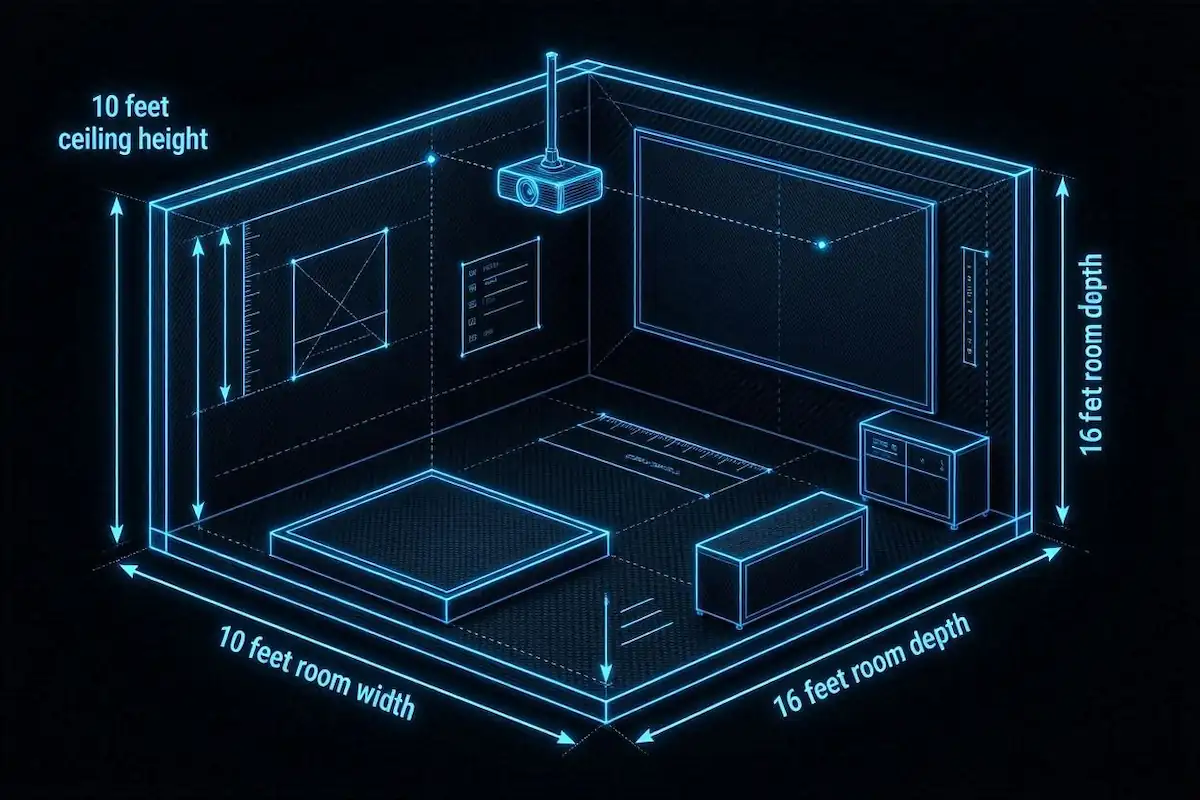
The 10-10-16 rule and the rest of this guide come from published specifications, installer guidance and owner reports. Our standards page sets out that process, and where it started.
| Dimension | Minimum | Recommended |
|---|---|---|
| Ceiling height | 9 ft | 10 ft+ |
| Room width | 12 ft (offset) | 15 ft+ (centered) |
| Room depth | 15 ft | 18–20 ft |
Trackman specialist K.C. Kessler puts the sweet spot at 15 to 20 feet wide, 10 to 13 feet high, and at least 18 feet deep. Hit those and the room disappears while you swing.
Ceiling height is the hardest constraint to fix after the fact, and it ends more builds than any other measurement. The average golfer needs 9 to 10 feet to swing a driver without clipping the ceiling. At 8 feet, full swings are off the table. You can practice short irons with a modified swing, but Trackman flatly calls 8-foot ceilings “not recommended” for regular use. The subtler problem is that even mild ceiling awareness changes your mechanics, quietly degrading clubhead speed, attack angle, and dynamic loft. Your data lies before you ever notice you’re swinging short.
Width determines who can play and how honestly they swing. A 10 to 12 foot room only allows an offset hitting position, which works if you deliberately stand to one side. To place the tee in the center and accommodate both right- and left-handed golfers, Carl’s Place points to 14 feet or more. Trackman recommends 15 feet for the same reason. Narrow rooms cause golfers to unconsciously shift their setup and drift ball position, and constrained swings feed bad data back into the monitor.
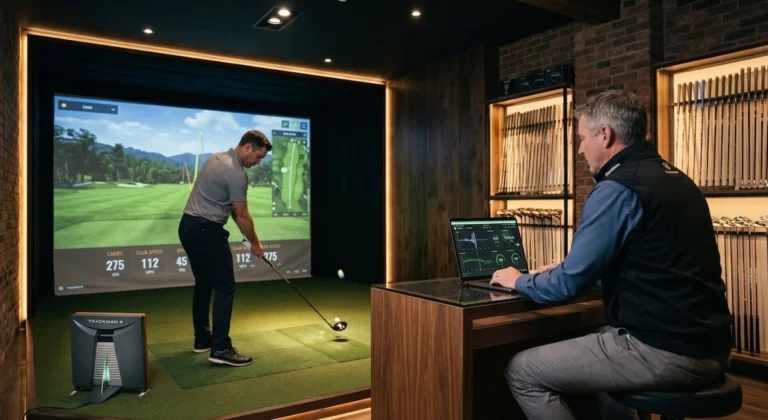
Depth requirements swing hard on which launch monitor you buy, so decide the tracking technology before you measure. Camera and ceiling-mounted units read the ball at impact and need only 10 feet from screen to tee. The Trackman iO adapts to the space rather than demanding space behind the ball. Radar units are the opposite. The behind-ball Trackman 4 needs 18 feet from screen to unit so the radar has room to track flight. Squeeze it into a shorter room and high-speed shots produce measurement inconsistencies. If your space tops out at 15 feet, a camera-based monitor is the better fit, and forcing a radar unit into that footprint is the most common depth mistake.
Within that ideal 18-foot depth, budget 12 to 16 inches behind the screen as a wall buffer, 10 to 12 feet from tee to screen, and 7 feet behind the tee for swing clearance. Seating and extras need space on top of that.
The Four Core Components: What Each One Does and What It Costs
Every simulator runs on four parts, and you should buy them in a specific order. Start with the launch monitor, because it measures your shots and sets the accuracy ceiling for everything downstream. A cheap monitor feeding perfect software still produces garbage numbers. From there the impact screen catches the ball and displays the image, the projector paints that image onto the screen, and the software renders the courses and shot data you actually play against.
Budget should flow the same direction. Spend the largest share on the launch monitor, since it drives whether your sessions feel like real practice or a video game. The screen and projector split the middle, and both scale with room size and ambient light. Software costs the least, usually $200 to $500 a year as a subscription, so treat it as an operating expense rather than a one-time buy. The sections below break down each component, what it does, and what you should expect to pay.
Launch Monitor: The Accuracy Engine
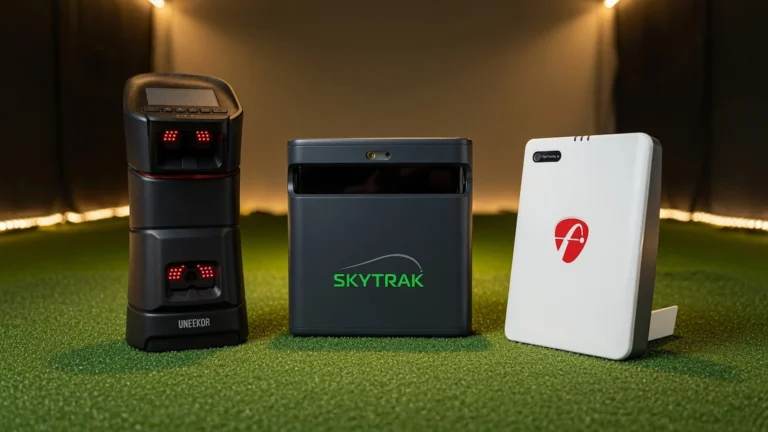
The launch monitor decides how much of your budget everything else has to work around, and the first fork is camera versus radar. Camera-based (photometric) units sit beside the ball, photograph it directly, and read spin at 99%-plus accuracy indoors, which is why they fit tight rooms. Radar units sit behind the ball and estimate spin from trajectory, so they need 18 to 21 feet of total depth to work well. If your room is short, radar is off the table before you compare a single price.
Position matters as much as the technology, and the numbers are unforgiving. A 6-inch deviation from the recommended placement cuts accuracy by 15%, according to testing compiled by Shop Indoor Golf. A $10,000 monitor bolted six inches off spec reads worse than a $2,500 unit placed correctly. Measure the manufacturer’s stated distance twice and mount it once.
Entry band, roughly $2,500 to $3,000
The SkyTrak ST MAX is the honest starting point for most home builds. It uses a photometric dual-camera system, fits a 10-by-10-foot minimum footprint, and opens access to 100,000-plus courses through its own platform. The Bushnell Launch Pro Circle B Edition sits at $2,499.99 and reads ball and club data at a level that punches above its price, though the club data typically requires a subscription tier. Both belong in a garage build where you want real practice feedback without five figures on the table. For a deeper look at how the ST MAX stacks up against its closest rivals, see our Uneekor Eye Mini vs. SkyTrak ST MAX vs. Mevo Gen 2 comparison.
Mid band, roughly $7,000 to $10,000
The Foresight GC3 is the camera-based unit we point serious practicers toward when they can stretch the budget. It stays portable, fits a 10-by-12-foot minimum, and its ball-flight and club data hold up against units costing far more. The Garmin Approach R50 lands in the same $7,000 to $7,500 range with an on-unit display and HDMI output, which suits players who want a floor unit they can set up quickly and read at a glance. Pick the GC3 for pure data fidelity and the R50 for convenience.
Premium and commercial bands
The Uneekor EYE XO2 runs $12,000 to $13,000 and combines dual cameras with infrared, mounted on the ceiling so it never sits in your swing path. It fits a 10-by-10-foot minimum, which makes it the strongest overhead option for a dedicated room where you want club and ball data without floor clutter. Above it, the Trackman iO pairs radar, infrared, and high-speed imaging at $18,000 to $25,000 and prefers a 12-by-15-foot space. Reserve the iO for club fitters and data-obsessed players who need tour-grade numbers and have the room and money to feed it.
One caution on the ranking guides at the top of search. MyGolfSpy and PlayBetter both list launch monitors by rough dollar-sign tiers without printing actual accuracy findings inline, and MyGolfSpy references its own testing page without surfacing the measured numbers. Buy on where the unit fits your room and how precisely you can position it, not on where it lands in a tier icon.
Impact Screen: The Component Most People Under-Spec
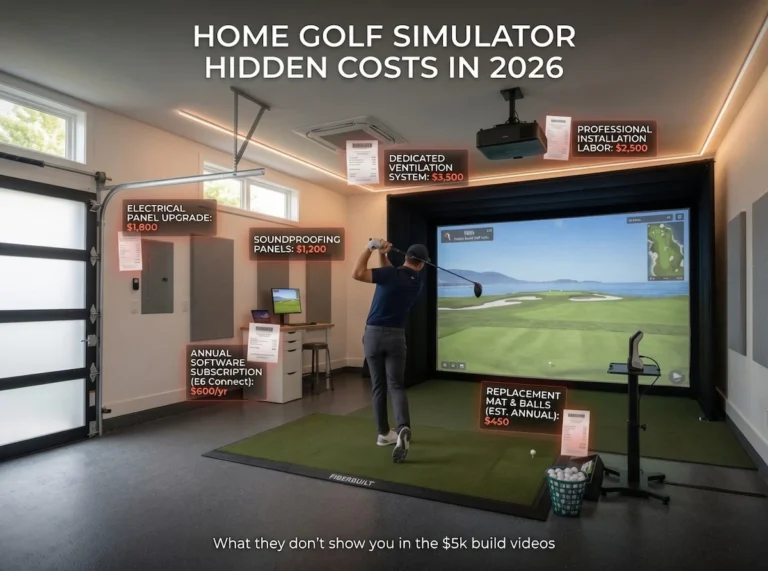
The impact screen is the one component buyers treat as an afterthought, and it costs them within a year. A full replacement runs $500 to $2,000, and even a well-maintained screen wears out every three to five years under regular use, according to Shop Indoor Golf. Skimping on the frame or the fabric shortens that window and turns a fixed cost into a recurring one.
Tension calibration decides how the screen behaves on every shot. A screen strung too tight throws balls back toward the golfer, and one strung too loose blurs the projected image, per Trackman. Getting the tension right protects both your safety and your picture quality, and it costs nothing but attention during install.
Ball cleanliness extends screen life more than most owners expect. Dirt, scuffs, and marker ink grind against the fabric on impact, so Trackman recommends clean balls and names the Titleist Pro V1 RCT and TaylorMade TRK-R as screen-friendly options.
Frame construction separates a screen that lasts from one that fails early. Residential aluminum tubing handles a home swing, but commercial screens use 2-inch EMT because they absorb ball speeds above 250 mph shot after shot, according to Shop Indoor Golf. The frame is what your fast swings actually hit through the fabric, so it deserves real money.
Best for: A garage builder hitting a few sessions a week gets full value from a standard aluminum-framed residential screen. A dedicated room that sees daily driver swings, or a fitting bay running high ball speeds, justifies the EMT-framed commercial build for the longer replacement cycle it buys.
Projector: Throw Ratio Is the Spec That Actually Matters
Throw ratio decides which projector belongs in your room, and it is the one spec that will ruin a build if you ignore it. Throw ratio is the projector’s distance from the screen divided by the screen width, so a 0.5:1 projector sits five feet from a ten-foot screen while a 1.0:1 model needs ten. A lower number means the projector sits closer. To find what your room supports, subtract six feet of hitting area from your total depth, then divide the remaining throw distance by your screen width (Top Shelf Golf).
| Room Depth | Screen Width | Available Throw | Max Throw Ratio | Best Category |
|---|---|---|---|---|
| 12 ft | 10 ft | 6 ft | 0.6:1 | Ultra-short throw |
| 14 ft | 10 ft | 8 ft | 0.8:1 | Short throw or UST |
| 20 ft | 10 ft | 14 ft | 1.4:1 | Any type |
Ultra-short-throw projectors (0.4:1–0.55:1) fit the tightest rooms, sitting four to five feet from a ten-foot screen and clearing the swing path from a floor or low-shelf mount. They demand a perfectly flat, tensioned screen, because the steep projection angle magnifies every wrinkle. The Optoma GT2000HDR runs $1,199 at 1080p, while the 4K BenQ LK830ST costs $2,499.
Short-throw projectors (0.6:1–0.9:1) are the most common choice, and for good reason. They ceiling-mount behind the golfer out of the swing path, and many offer a variable throw range like 0.69–0.83:1 that gives you placement flexibility. A 0.69–0.83:1 model needs about 14 feet of depth. The BenQ TH671ST covers budget builds at $949, and the 4K BenQ AK700ST steps up to $2,899.
Standard-throw projectors (1.0:1 and up) only make sense in deep rooms of 18 feet or more, since the light path crosses the hitting zone and throws body shadows onto the screen. The BenQ LU710 at $1,699 fits this category. If your depth allows it, a short-throw model still avoids the shadow problem for less hassle.
Brightness comes second to throw ratio, but a dim projector washes out in any lit room. A dark, controlled space works at 3,000 lumens as a baseline. Rooms with ambient light need 4,000 to 5,000 lumens to keep the image from graying out, and screens wider than 12 feet push you toward the higher end (Virtual Tee Golf). Prioritize brightness and throw ratio before resolution (Carl’s Place).
Laser light sources cost more but hold their brightness for tens of thousands of hours and reach full output instantly, which matters in a room you use for short sessions. Lamp projectors like the Optoma 4K400STx save money up front, though the lamp dims over time and needs replacing. Buy laser if the budget allows, and reserve lamp models for entry builds where every dollar counts.
Hitting Mat: The Component That Wears Out First
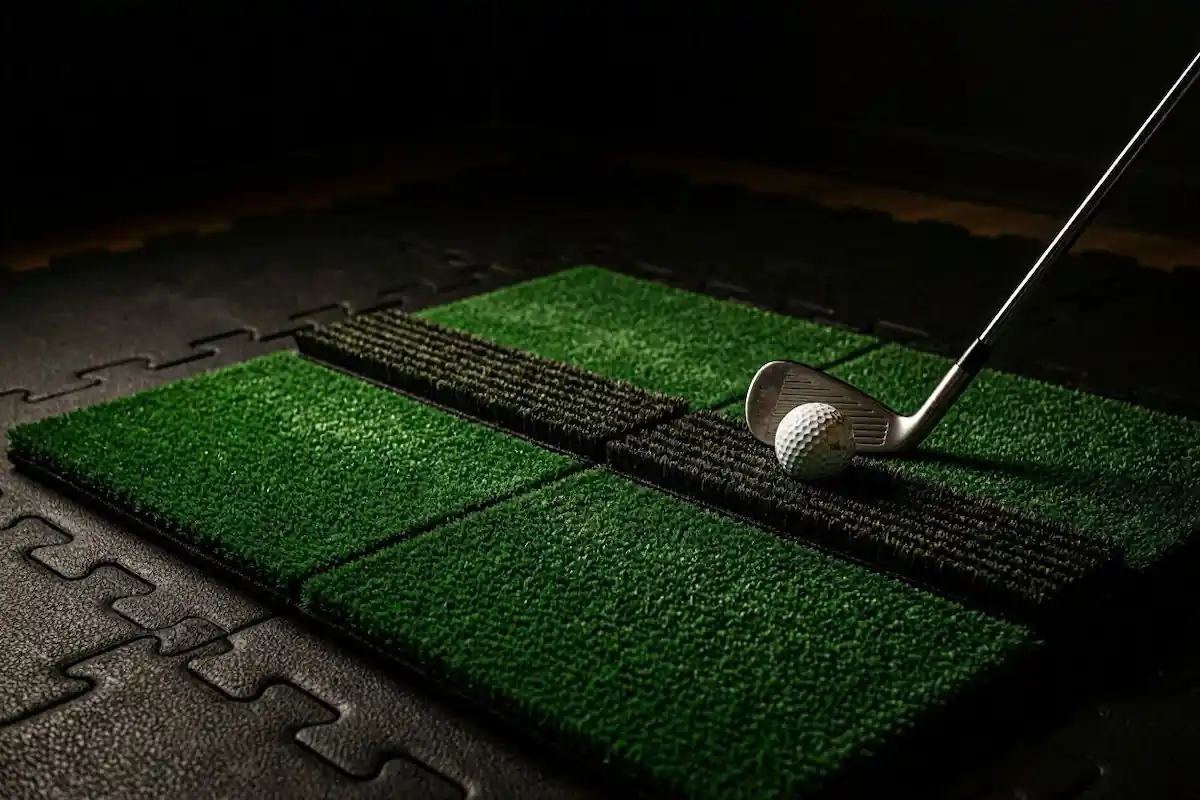
Turf material decides how long your mat lasts and how your wrists feel after a session. Nylon holds up far better than polypropylene under regular hitting, and polypropylene mats flatten and wear thin quickly once you start putting real reps through them. A worn mat changes the feedback you get on fat and thin strikes, so you stop trusting what the ground tells you.
The bigger risk is your body. A thin or hardened mat transfers shock straight into your wrists and elbows on every strike, which is why the SIGPRO Softy built its reputation on shock absorption. If you hit down on the ball like most golfers, spend up here before you cut corners anywhere else.
Plan to replace the mat as a running cost, not a one-time purchase. Expect $300 to $1,000 depending on size and quality, and treat the hitting mat as one of the first two components you will swap out, alongside the impact screen.
Golf Simulator Setup Cost: Budget Tiers at a Glance
Every manufacturer guide skips the range most golfers actually shop. Trackman’s cheapest listed configuration starts around $18,000 for a DIY setup and climbs past $47,000 for an installed custom build. TruGolf lists no prices at all. Neither speaks to the golfer building a functional simulator for $3,000 or $8,000, which is where the vast majority of home builds land. The four tiers below reflect complete-system pricing from independent component sourcing, not single-brand packages. Sticker price is only the start, so once you pick a tier, run the numbers in our 3-year total cost of ownership guide before you commit.
| Tier | Total Cost | Typical Components | Best For |
|---|---|---|---|
| Entry | ~$2,500–$3,500 | Photometric launch monitor (SkyTrak ST MAX or Bushnell Launch Pro), impact screen, short-throw projector, basic mat, subscription software | Garage builders who want real ball flight without club-fitting precision |
| Mid | ~$4,000–$8,000 | Camera launch monitor (Foresight GC3 or Garmin R50), dedicated enclosure, 4K projector, quality turf, PC | Regular practice and casual competition in a semi-permanent space |
| Premium | ~$8,000–$15,000 | Dual-tracking monitor (Uneekor EYE XO2), commercial-grade screen and frame, high-lumen laser projector, dedicated PC, premium flooring | Serious golfers doing club fitting and swing analysis in a dedicated room |
| Commercial | $15,000+ | Trackman-class monitor, industrial enclosure, multiple bays, top-tier PC | Fitters, coaches, and anyone chasing tour-level data accuracy |
The entry tier gets you a genuinely usable simulator, not a toy. A SkyTrak ST MAX runs $2,500 to $3,000 and delivers over 99% spin accuracy because it photographs the ball directly. Add a screen, a short-throw projector, a mat, and a software subscription, and you have a complete setup under $3,500. The reader comment on MyGolfSpy’s guide asking whether anything good exists below $2,000 points to a real problem. Most guides never answer it, and the honest answer is that $2,500 is the floor for a system worth owning.
The mid tier is where most dedicated home builds settle. A Foresight GC3 costs $7,000 to $10,000 on its own, and pairing it with a proper enclosure, a 4K projector, and a PC pushes a full build toward $8,000. You gain club-head data and tighter accuracy, which matters if you practice several times a week.
Premium and commercial tiers exist for a narrow audience. A Uneekor EYE XO2 runs $12,000 to $13,000, and a Trackman iO starts around $18,000. Unless you fit clubs professionally or refuse to accept any measurement compromise, the mid tier delivers most of the performance at a fraction of the cost. Spend on the launch monitor first, then let the rest of the budget follow.
Best Golf Simulator Software: Which Platform Fits Your Setup
Your first software decision is whether you go third-party or native, because that choice determines how much flexibility you keep if you ever change launch monitors. Third-party platforms like GSPro, E6, Creative Golf 3D, and Awesome Golf work across many launch monitor brands, so you can swap a SkyTrak for a Uneekor and keep your course library. Native software like Trackman Performance Studio or Foresight FSX Play ships bundled with specific hardware and integrates tightly, but it locks you to that brand. If you want the freedom to upgrade one component at a time, buy a launch monitor that supports GSPro or E6 and choose your software separately.
| Software | Price | Course Library | Hardware Flexibility | Best For |
|---|---|---|---|---|
| GSPro | $250/year | Large, mostly user-created (quality varies, top courses excellent) | Works across many launch monitors | Serious practice, deep customization |
| E6 Connect | $300 | Professionally built, consistent quality | Cross-brand; runs on PC or iPad | Players who want polish over tinkering |
| E6 by TruGolf 2026 | $300–$450/year | Professionally built, higher visual fidelity | Cross-brand; 19 compatible monitors | High-resolution setups |
| Awesome Golf | $349.99 | Small, plus arcade modes | Cross-brand | Families and casual players |
| Creative Golf 3D | $500 | Moderate, mini games included | Cross-brand | Casual players, new golfers |
GSPro earns its reputation among serious practicers because it lets you set weather, time of day, green speed, pin locations, and tee boxes with a precision the others don’t match, per Carl’s Place. The trade-off is that it needs a capable gaming PC and skips in-software swing cameras entirely. E6 goes the other direction with professionally built courses that hold consistent quality, so you avoid the hit-or-miss experience of GSPro’s user-generated maps. E6 customization runs shallower than GSPro’s, which suits players who want to load a round and play rather than tune a dozen settings first.
E6 Connect stands apart because it runs on an iPad rather than requiring a Windows machine, and that saves you the cost and hassle of a gaming PC. The iPad version comes with a visible penalty. Apple’s tablet renders less detail in foliage and backgrounds, and a direct head-to-head video comparison shows frame loss on the iPad that the PC version doesn’t have. You will also want an iPad Air 2019 or newer, since older models struggle or crash under the load, according to specs cited on the Golf Simulator Forum. For a garage build where you just want rounds on a screen, the iPad path works fine. For maximum visual quality, drive E6 from a PC.
TGC 2019 still comes up in buying discussions, and you should treat it as legacy software. TruGolf discontinued it, so online multiplayer and connected features no longer work, though solo and offline local rounds still run. Its old draw was a massive course library sold as a one-time purchase with no recurring fees. If someone offers you a working copy and you only play alone, it remains usable. For a new build, E6 by TruGolf is the better long-term choice given active updates and online play.
PC Requirements by Software and Resolution
The PC your simulator needs depends entirely on which software you run and at what resolution, so map the build to the platform before you spend a dollar. GSPro at 1080p asks for far less than Trackman Virtual Golf at 4K, and buying for the wrong target either wastes money or locks you out of the software you actually want. Three build tiers cover almost every home setup.
| Tier | Approx. Cost | Key Components | Runs |
|---|---|---|---|
| Budget | ~$940–$1,100 | RTX 5060, Core Ultra 5 or Ryzen 5, 16 GB DDR5, 1 TB NVMe | GSPro, E6, TGC at 1080p |
| Mid-range | ~$1,400–$1,880 | RTX 5070, Intel i7 or Ryzen 5, 32 GB DDR5, 2 TB NVMe | 1080p Ultra, entry 4K GSPro, Trackman HD, FSX Play |
| High-end | ~$2,100–$2,770 | RTX 5080, Core Ultra 7, 32 GB DDR5, 2 TB NVMe | Maxed 4K GSPro, Trackman 4K, high-speed cameras |
Data on tiers and compatibility comes from Home Performance Lab.
The AMD trap catches more first-time builders than any other spec mistake. FSX Play blocks AMD GPUs outright and treats AMD CPUs as unsupported, and Trackman Virtual Golf refuses AMD processors and graphics cards entirely. GSPro and E6 run fine on AMD, so if either of those is your only target, an AMD build saves money. If Trackman or FSX Play sits anywhere in your future plans, buy Intel and NVIDIA now and skip the expensive swap later. The mid-range build with a Ryzen 9600X runs GSPro beautifully but closes the door on both Trackman and FSX Play, which is why the same tier with an Intel i7 keeps every platform open.
Laptops cost you performance you cannot recover. A laptop GPU delivers roughly 70 to 80 percent of its desktop namesake and throttles under the sustained load a practice session creates, and none of it upgrades. A laptop RTX 4060 handles GSPro at 1080p without complaint, and a laptop makes sense for a teaching pro moving between venues. For 4K, high-speed cameras, or Trackman, only a desktop keeps up.
Storage is the cheapest upgrade with the biggest quality-of-life payoff. Course loading from a spinning hard drive runs up to seven times longer than from an NVMe SSD, and Trackman mandates a 1 TB SSD as a hard requirement rather than a suggestion. Pair fast storage with at least 16 GB of RAM, since 8 GB leaves no headroom once your launch monitor software runs alongside the sim. Any setup where you record swings or run multiple apps at once wants 32 GB.
Golf Simulator Room Design: Finishing the Space
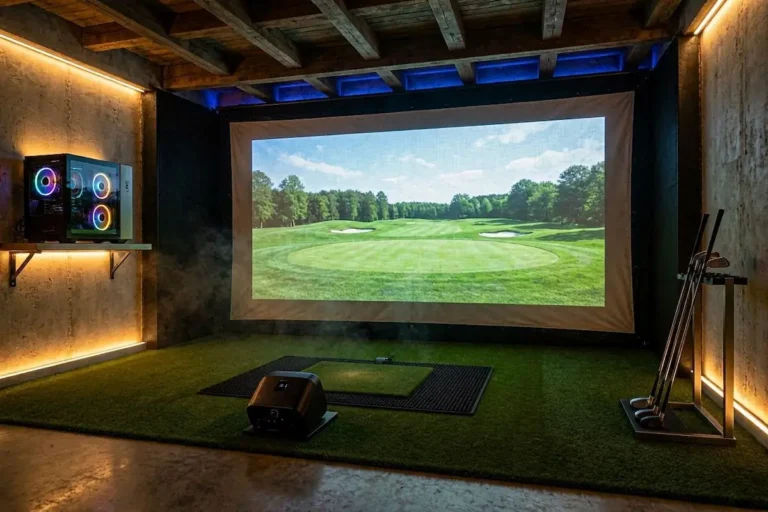
A working simulator and a room you actually want to stand in for two hours are separated by four finishing decisions. Once your launch monitor reads clean data and your screen holds up to impacts, flooring, lighting, sound, and airflow decide whether the space feels like a studio or a storage unit with a screen bolted to the wall.
Flooring
Build your floor in three layers: a base, a cushioning underlayment, and a turf surface on top. On a concrete garage slab, a rubber gym-floor base cuts room echo by almost half and keeps your feet warmer in a cold space. Stack a high-density turf roll over the rubber, then a dedicated landing pad in front of the screen to kill bounce-back and impact noise.
Most hitting mats stand 1.5 to 2 inches tall while turf runs half an inch to an inch, so you need a shim layer or a wood subfloor to sit the mat flush with the surrounding turf. A 2×4 grid with ¾-inch plywood gives you the most permanent flush inset. For putting, use low-pile turf with no thick foam beneath it, since foam ruins roll consistency. New putting turf reads slow out of the box and gains a stimp point or two after a few months of use.
Lighting
Light the golfer, not the screen. Any ambient light that lands on the impact screen produces a washed-out grey image, because projectors cannot render true blacks. Aim track lighting or Par 38 LED spotlights at the mat, and keep every fixture out of the projector’s beam path.
Run 4,000K to 5,000K bulbs with a CRI of 90 or higher so fairway greens and on-screen colors read accurately, and put every circuit on a dimmer for bright practice or dim immersive play. Paint the walls and ceiling a dark matte grey, navy, or black to stop stray light from bouncing onto the screen, and hang blackout blinds on any window. Buy flicker-free LEDs specifically, because cheap ones flicker at a rate invisible to your eye but detectable by a high-speed camera, which corrupts your launch monitor data.
Sound
A rubber base layer on concrete does double duty for noise, cutting room echo by roughly 50 percent along with its cushioning job. If your simulator sits above a living space and impact noise travels between floors, build a raised platform from 2×4s or 2×6s topped with OSB, carpet padding, and turf. That platform decouples the hitting surface from the structure and dampens the thud far better than a mat laid straight on the subfloor.
Ventilation
Ventilation is the element enclosed garage builds forget most often. A sealed room with a golfer swinging hard, a projector running hot, and a PC under load turns stuffy within twenty minutes, and it gets worse when multiple people cycle through. Plan for a fan or an intake vent before you frame the walls, not after you notice the heat.
Common Setup Mistakes (and How to Avoid Them)
Most failed simulator builds trace back to a handful of decisions made before the first ball is struck. Audit your plan against these before you spend a dollar.
Wrong throw ratio for your room depth. A projector that can’t fill the screen from your available distance either bleeds off the edges or casts your shadow into the swing. Match the throw ratio to your measured depth before buying, and default to short-throw for rooms under 16 feet.
Undersized ceiling. Below 9 feet, you can’t take a full driver swing, and Trackman calls ceiling height “the hardest one to fix after the fact”. Measure your true clearance to any beam or fixture before committing to a location.
Radar monitor in a short room. A behind-ball radar unit like Trackman 4 needs about 18 feet of screen-to-unit distance, and cutting that introduces measurement errors on fast shots. If you have under 16 feet of depth, choose a ceiling-mounted or photometric monitor instead.
8 GB of RAM. That amount meets the technical minimum for E6 and TGC, but leaves no headroom once launch monitor software runs alongside the sim. Build with 16 GB as your real floor, or 32 GB if you multitask or record.
An AMD CPU with FSX Play or Trackman. Both platforms block AMD processors outright, so a Ryzen chip locks you out permanently. If either platform is on your list, buy an Intel CPU.
No dedicated 20-amp circuit. A standard 15-amp garage circuit often can’t carry a projector, PC, and monitor together, which trips breakers mid-round. Run a dedicated 20-amp line before finishing the room.
Ignoring screen tension. A screen strung too tight bounces balls back hard, and one strung too loose blurs the projected image. Tension it to the manufacturer’s spec and recheck after the first few weeks of use.
Cheap hitting mat turf. Polypropylene turf wears out fast and gives inconsistent feedback that can strain your wrists. Choose a nylon surface such as the SIGPRO Softy and expect to replace it every few years.
How to Choose: Golfer Profile Decision Guide
Match your build to how you actually plan to use the simulator, because the components that matter for a garage hobbyist differ sharply from what a club fitter needs.
Garage builder on a budget
Start with an entry-tier system around $2,500 to $3,500 and pair a SkyTrak ST MAX or Bushnell Launch Pro with GSPro at $250 a year. GSPro gives you a huge course library and deep customization without demanding a premium launch monitor. Use a short-throw projector so a shallow garage fits the screen without shadows, and budget for a dedicated 20-amp circuit if your garage runs on standard 15-amp wiring. For a complete parts-list walkthrough at this tier, see our garage golf simulator build under $5,000.
Dedicated room, serious practice
Step up to a mid or premium tier between $4,000 and $15,000 and put the extra money into a camera-based monitor like the Foresight GC3 plus proper three-layer flooring. Foresight’s own FSX Play or E6 Connect both deliver professionally built courses with consistent quality, which matters when you play the same holes hundreds of times. A finished room with rubber underlayment and directional lighting turns regular practice into something you keep coming back to.
Club fitter or data-obsessed player
Go premium or commercial, $15,000 and up, with a Trackman-class monitor and a high-end PC. The Uneekor EYE XO2 at $12,000 to $13,000 or a Trackman iO delivers 25-plus metrics and dual-tracking accuracy that fitting work demands. Positioning precision matters as much as the hardware here, since a 6-inch deviation cuts accuracy by 15%. Pair it with a machine that clears 4K rendering so your visuals never bottleneck the data.
Conclusion
Build your simulator in order. Space comes first because a 9 ft ceiling and 15 ft of depth are fixed constraints no equipment can work around. Budget comes second, since your room dimensions already rule out the monitors and projectors that won’t fit. Use case comes last, because a weekend player and a club fitter need different accuracy from the same footprint. No manufacturer guide will tell you this, because Trackman and TruGolf are selling you their hardware, not fitting the right system to your room. XS Golf synthesizes independent third-party test data across brands with no stake in which one you buy. Once you know your space and your budget, dig into our deeper resources on launch monitors, impact screens, projectors, and software to lock in each choice with the independent numbers behind it.
Frequently Asked Questions
What is the minimum ceiling height for a golf simulator?
The average golfer needs 9 to 10 feet of ceiling height to swing a driver without altering their mechanics. Below 9 feet, driver use becomes impractical, though short-iron practice remains possible. Trackman calls ceiling height “the hardest one to fix after the fact,” so measure it before committing to any room. See our ceiling height standard.
Can I build a golf simulator in a garage?
Garages work well for simulators and rank among the most common locations, alongside basements and spare rooms. Ventilation is the element most builders overlook, since enclosed garages trap heat and stale air fast. Plan a dedicated 20-amp circuit too, because standard 15-amp garage wiring often can’t power a projector and PC together.
How much does a home golf simulator cost to set up?
A complete home build runs from roughly $2,500 at the entry level to $15,000 or more for a premium setup. An entry system pairs a photometric launch monitor with a screen, projector, and mat, while $8,000 to $15,000 buys dual-tracking hardware, a commercial-grade enclosure, and a dedicated computer. Manufacturer guides from Trackman and TruGolf start above $18,000, so they skip the range most home builders actually shop.
What is the best golf simulator software for home use?
GSPro leads for serious home golfers at $250 a year, with a large course library and deep customization for weather, pin positions, and green speed. E6 by TruGolf costs more but ships professionally built courses and runs on an iPad instead of a gaming PC. For families, Awesome Golf and Creative Golf 3D add arcade modes at a lower barrier to entry.
Do I need a dedicated PC for a golf simulator?
GSPro requires a capable gaming PC, so most serious setups need one. E6 Connect is the main exception, since it runs on an iPad, though you lose foliage detail and frame rate compared to a desktop. Avoid AMD processors if you plan to run Foresight FSX Play or Trackman software, because both block AMD chips.
What throw ratio projector do I need for a 15-foot deep room?
A 15-foot-deep room leaves about 9 feet of throw distance after a 6-foot hitting area, which supports a short-throw projector around 0.9:1 for a 10-foot screen. Short-throw models mount on the ceiling behind the golfer and stay out of the swing path. Ultra-short-throw units also fit but demand a perfectly flat, tensioned screen.
How often do impact screens and hitting mats need to be replaced?
Impact screens last 3 to 5 years and cost $500 to $2,000 to replace. Hitting mats wear out first and run $300 to $1,000, with nylon turf lasting far longer than polypropylene. Clean balls extend screen life, so wipe off dirt and marker before you hit.