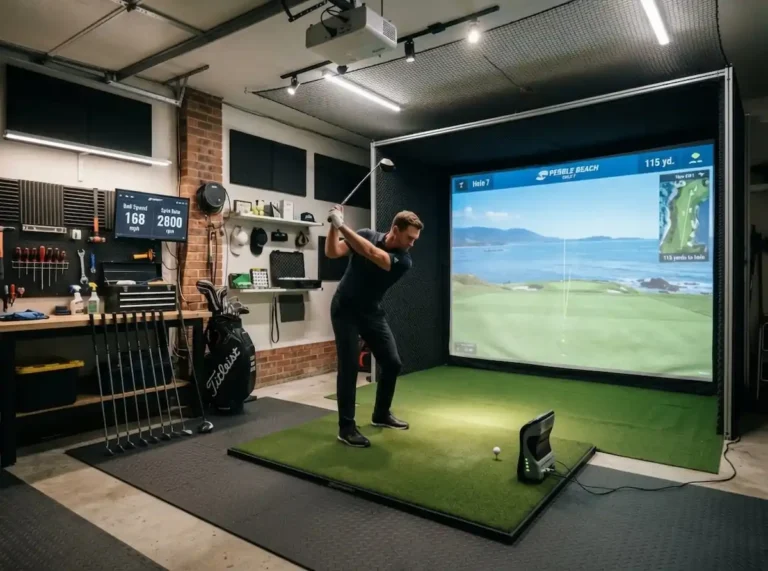
Golf Simulator Build Guide 2026: The $5,000 Garage Setup That Rivals a $25,000 Room
Last updated: September 15, 2026
Why Build a Golf Simulator in 2026?
Indoor golf simulators are no longer a luxury reserved for tour professionals and country clubs. The technology has caught up with the price — and for serious golfers in cold-weather markets, a home simulator is now the smartest equipment investment you can make.
Every price and spec in this build is either sourced or marked N/C. Our standards page explains how XS Golf researches a build, and why it doesn’t claim first-party testing.
The average golfer in the US Midwest or Northeast loses 4–5 months of outdoor playing time every year. A quality home simulator eliminates that gap entirely and lets you build a measurable, data-driven practice routine year-round.
This guide walks through a complete garage build for under $5,000 — the exact components, why we chose each one, what we’d do differently, and where to get the best price on each piece.
The Complete $5,000 Build: Component Breakdown
1. Launch Monitor: SkyTrak MAX — $2,995
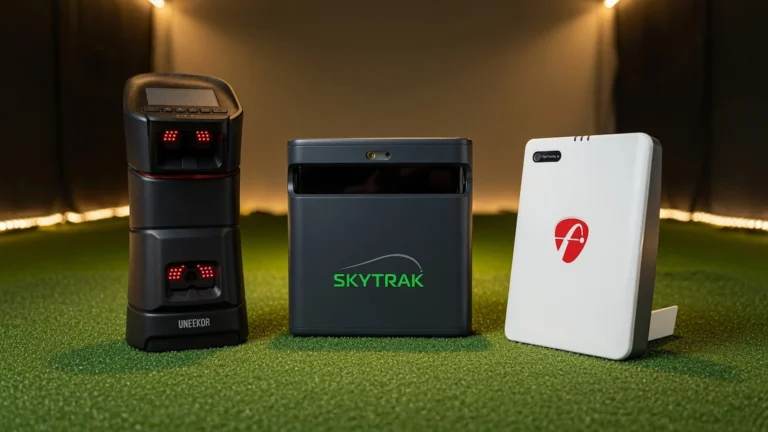
The Garmin Approach R50 and SkyTrak MAX (see our full review) is the heart of this build. Released in 2026, it replaces the SkyTrak+ with a sleeker design, improved ball tracking, and native integration with both Foresight Falcon and TrackMan course libraries.
At $2,995 it sits at the upper end of the mid-range — but it punches well above that price point. Spin accuracy and ball speed data are within 2–3% of TrackMan on drives, which is all you need for meaningful practice. The free software tier includes a driving range and basic stats. GSPro is another popular software option for course play. Add the Foresight course pack at $299/year for 38+ courses including Pebble Beach. For Square Golf course simulation software
Where to buy: PlayBetter consistently has the best price and includes a 60-day return policy per SkyTrak’s manufacturer terms. Amazon also stocks it — use our affiliate link to support the site at no extra cost to you. As an Amazon Associate I earn from qualifying purchases.
2. Enclosure: Carl’s Place DIY Kit — $799
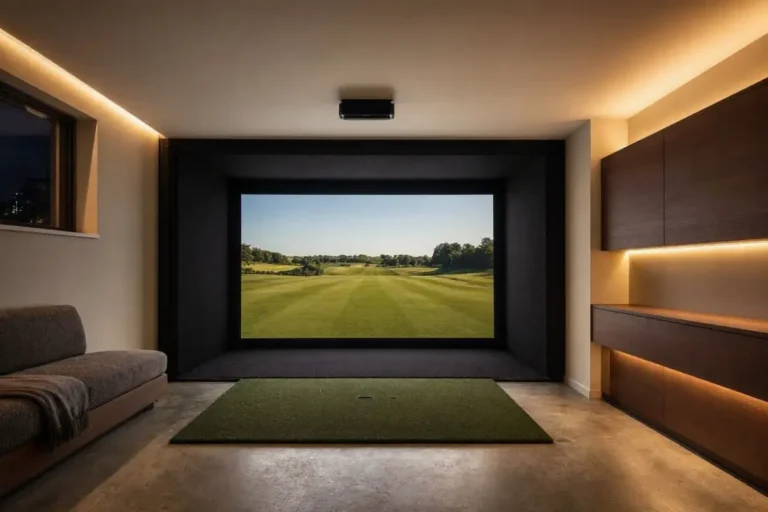
For DIY enclosure kits, Carl’s Place remains the most widely used option. Carl’s Place makes the most popular DIY simulator enclosures in the market. The 10×10×10 foot kit includes everything: frame, impact screen, side barriers, and mounting hardware. Assembly takes about 3 hours solo or 90 minutes with a partner.
The impact screen quality is excellent — no bounce-back issues at driver speed, and the projection surface is bright even with an ambient-light projector. This is not where you want to cut corners. A cheap enclosure with a thin screen will break within months of regular use.
3. Projector: BenQ TH685P — $649
Short-throw projector selection is the most overlooked part of a simulator build. Most people overbuy on the launch monitor and underbuy on projection, then wonder why the image looks washed out.
The BenQ TH685P is the sweet spot for this price tier: 3,500 lumens, 0.69:1 throw ratio (meaning you can mount it close to the screen without shadows), 1080p resolution, and a 120Hz refresh rate that makes shot-replay animations smooth. For a 10-foot wide screen in a dimly lit garage, this is all you need.
4. Hitting Mat: Fiberbuilt Home Series 5×5 — $399
Don’t cheap out on the mat. Rubber-base mats with thin synthetic turf will wreck your wrists within weeks — the feedback is completely different from real turf and encourages fat-strike habits. For reference specifications, the USGA equipment standards define the legal parameters all reviewed devices are tested against. Fiberbuilt’s fiber construction absorbs impact correctly and lasts for years of daily use.
The 5×5 foot Home Series fits perfectly inside a Carl’s enclosure and includes a separate hitting strip in two lie angles.
5. Net (backup safety): Rukket 10×10 Barricade — $129
Even with a proper enclosure, add a backup net behind the screen. Misses happen, especially early in setup. The Rukket 10×10 Barricade mounts to the wall or ceiling behind the enclosure and catches anything that passes the screen edges. At $129 it’s cheap insurance for your garage door, shelving, and everything else.
Total Cost Breakdown
| Component | Item | Price |
|---|---|---|
| Launch Monitor | SkyTrak MAX | $2,995 |
| Enclosure | Carl’s Place 10×10 DIY | $799 |
| Projector | BenQ TH685P | $649 |
| Hitting Mat | Fiberbuilt Home Series 5×5 | $399 |
| Safety Net | Rukket 10×10 Barricade | $129 |
| Total | $4,971 |
Upfront cost is only part of the story. Launch monitor subscriptions, software, and maintenance keep adding up across the years you own this setup. Before you buy, see the full 3-year total cost of ownership breakdown.
What We’d Do Differently
If we were building this again with an extra $500 to spare, we’d add a putting green strip (another $200–$400) inside the enclosure. Putting practice is the lowest-hanging fruit in any golfer’s game, and it’s completely wasted on a launch monitor setup without a decent surface.
We’d also invest in a proper ceiling-mount arm for the projector ($80–$150) rather than using a shelf or stand. Consistency in projector position matters more than most people realize — even a small shift in angle changes how the image hits the screen and affects alignment.
Where to Buy Each Component
Some links on this page are affiliate links. Clicking them and purchasing supports XS Golf at no extra cost to you — see our affiliate disclosure for full details.
- SkyTrak MAX — Amazon UK | Amazon US | PlayBetter (best price + return policy)
- Carl’s Place Enclosure — Shop Indoor Golf
- BenQ TH685P — Amazon UK | Amazon US
- Fiberbuilt Mat — Amazon US | Rain or Shine Golf
- Rukket Net — Amazon US
Prices accurate as of May 2026. Check current pricing via links above — simulator component prices fluctuate regularly.